
Live Webcam Chat, Community Rooms & Rabbit Hole Arcade
Hop Into the Unexpected
RabbitHole is a social space for live webcam chat and community rooms. Meet people on cam, then jump into the integrated Rabbit Hole Arcade for 8-Ball Pool, Texas Hold'em, chess, and more while you watch every reaction.
Built around customization, privacy tools, and shared communities.
Join on any device — no download required, or grab the app.
What is RabbitHole? RabbitHole.cam is a free social platform for live webcam chat, integrated voice chat, and community rooms. Play pool, poker, and chess in the built-in Arcade while you hang out on cam. Start in your browser at rabbithole.cam/web or download the Windows or Android app.
Features
RabbitHole is more than just a webcam chat app—it's a communal social experience built on user feedback and a commitment to privacy, quality of life, and customization.

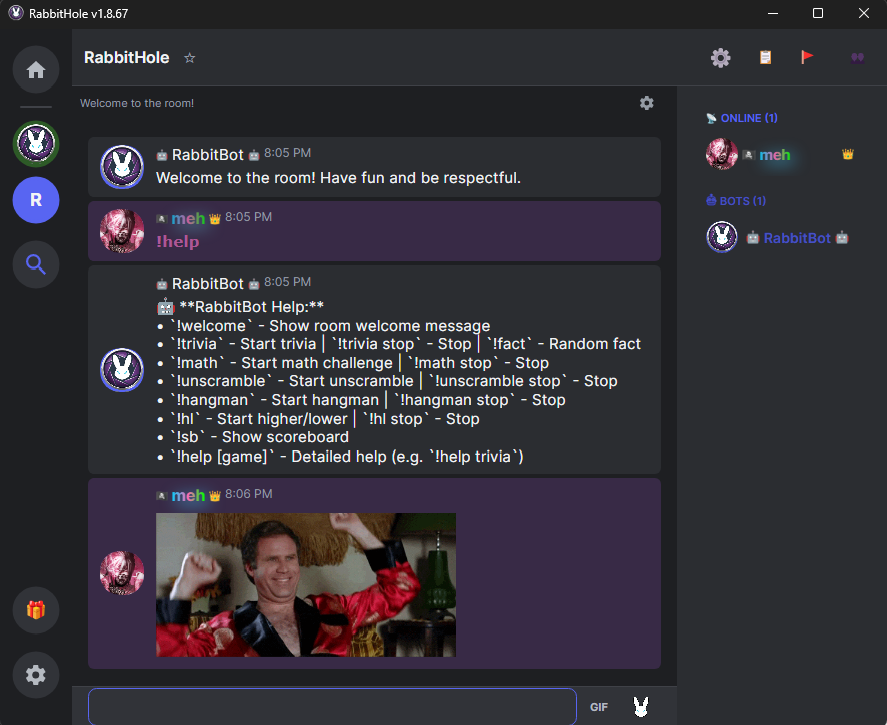
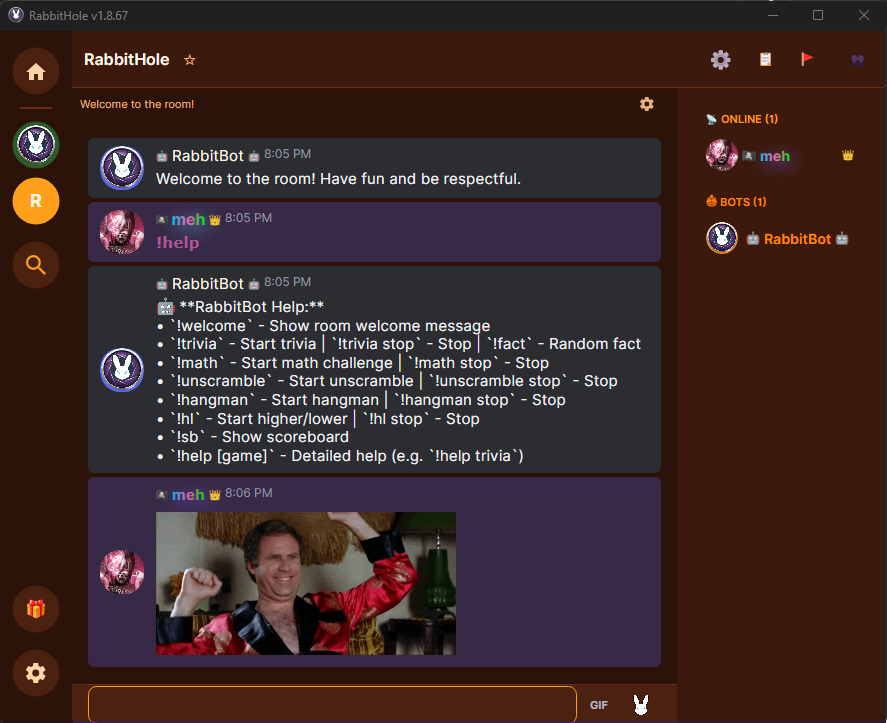
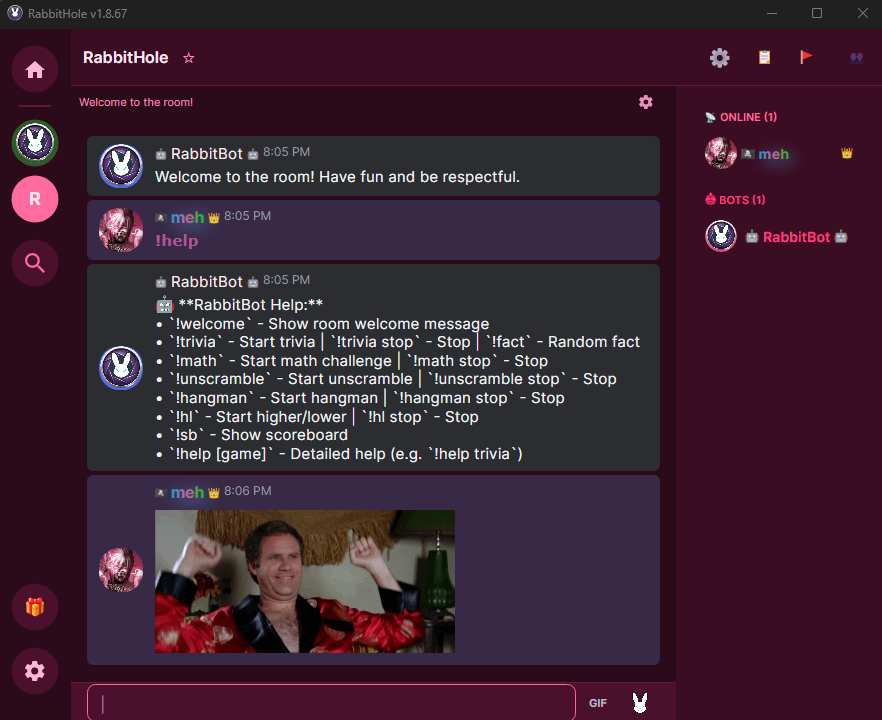

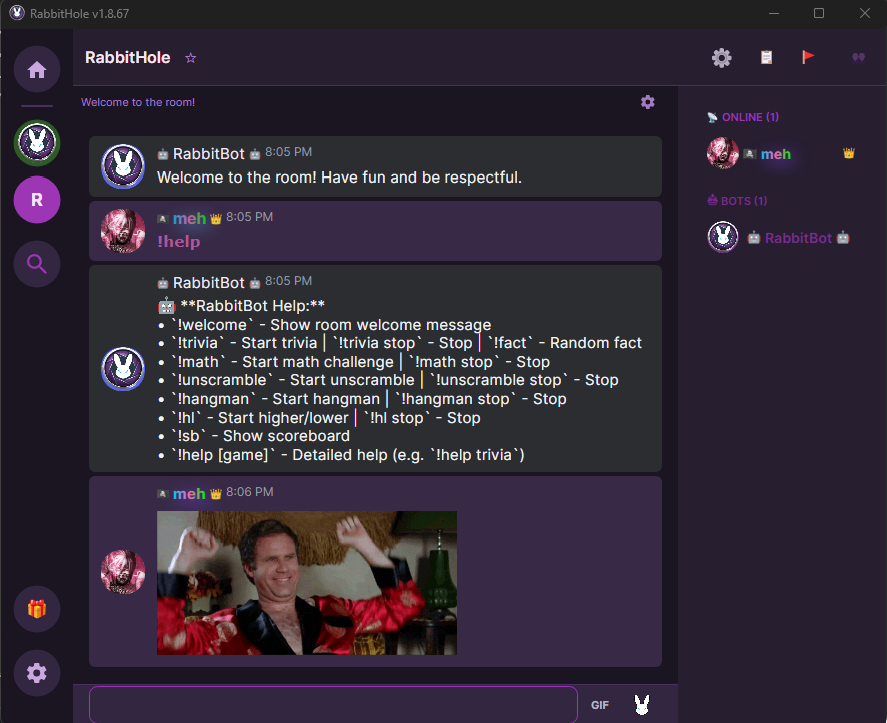
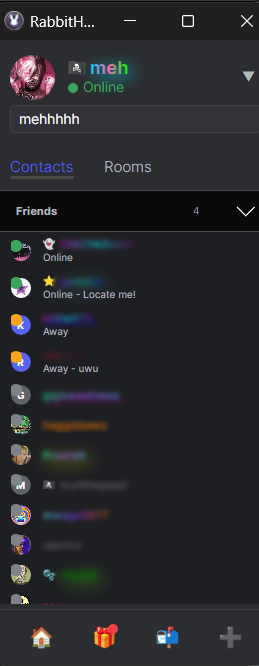
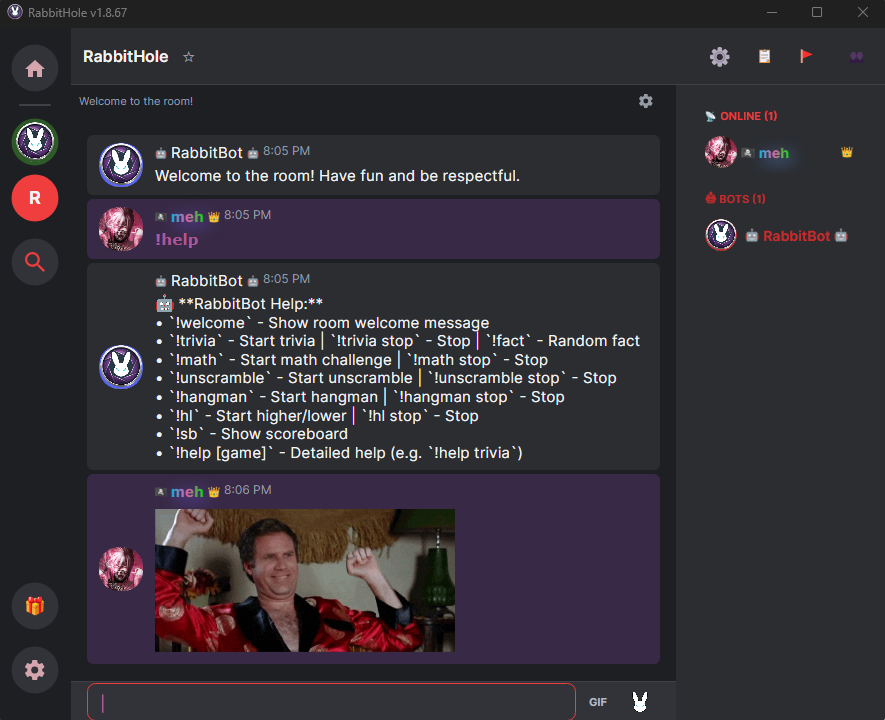
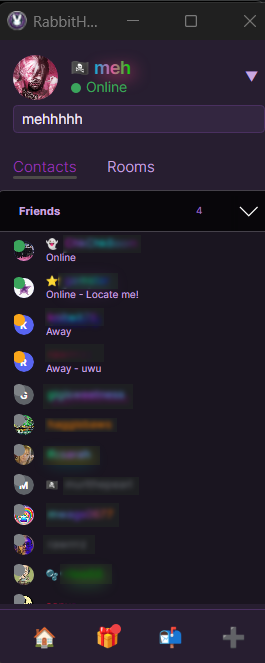
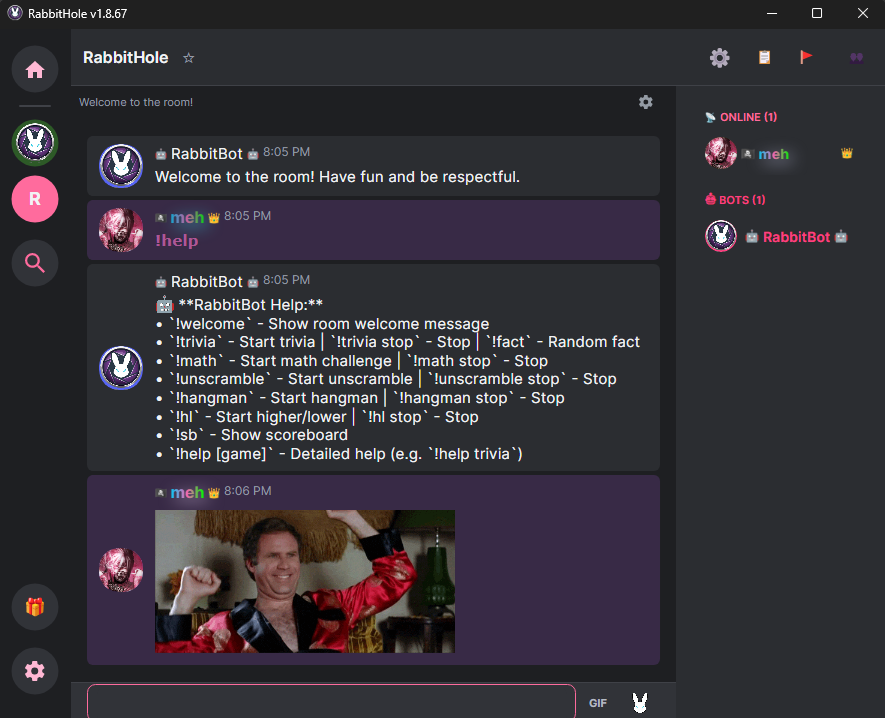
Customizable Themes
Sleek dark aesthetic by default with numerous color presets to match your personal style.
GIF Support
Express yourself with full GIF support in both public chat rooms and private DMs.
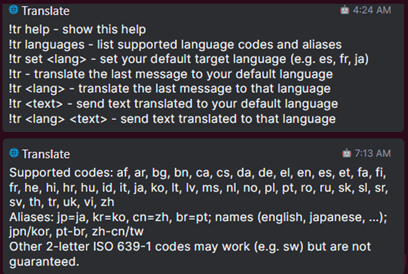
Translator Bot
Break language barriers with the built-in translator bot—auto-translate chat messages and DMs on the fly. Type !tr help in-app for more info.
Radio Bot
Spin up a room DJ with RabbitRadio--it grabs the mic and streams live internet radio by genre. Try !radio rock or !radio nightcore, or type !radio help in-app for the full command list.
RabbitHole Arcade
Challenge your friends to 8-Ball Pool, Texas Hold'Em, Chess, Checkers, and more—all while seeing their reactions live on cam.
Watch Parties
Synchronized YouTube playback with a Queue list for building shared playlists.
Snapshots
Capture and share moments instantly with snapshots directly in your private direct messages.
Floating Cam Layouts
Freely resize and move camera windows. Sticky Cams lock your cameras into place for easy alignment, and auto-organize intelligently retains your custom dimensions.
Custom Panel Layout
Drag chat, webcams, and side panels around until the room feels right. Pick a layout preset or save your own arrangement—it sticks around next time you hop back in.
Multiple UI Modes
Choose between 'Classic Buddy List' and 'Integrated' tabbed views. Premium+ members can 'pop out' rooms into individual windows to have multiple chat rooms open simultaneously.
Auto-Open Friends
Never miss a moment—automatically open your friends' cameras as soon as they go live.
Privacy Protections
Protections against common screen recording and unauthorized screenshot methods help keep your space safe. When you broadcast, your cam is app-only by default, meaning only other Desktop and Android users can view it unless you opt in to Allow web users to view my cam broadcast in your settings.
Cam Kick Control
Total control over your broadcast—instantly kick unwanted viewers off your camera.
Total Blocking
Bidirectional blocking—once blocked, neither user can see the other's cam, presence, or messages.
Per-User Volume
Tailor your audio by adjusting volume or muting individuals. Settings are saved for every user.
Expression & Flair
Personalize your presence with custom name colors, glow effects, and rare flair icons.
Earn Rewards
Complete daily and weekly achievements through active use to unlock exclusive prizes in our Gift Shop.
Moderator Reports
Discrete reporting tools for community moderators to handle issues without public chat drama.
Device-Based Bans
Robust security applying punishments to specific hardware, preventing VPN or name-switching workarounds.
Frequently Asked Questions
A few quick answers before you hop in.
What is RabbitHole?
RabbitHole is a live webcam and voice chat social platform with community rooms, private messaging, watch parties, and an integrated Arcade for multiplayer games — all in one place at RabbitHole.cam.
What can I do here?
Join public rooms, chat on cam, message privately, share GIFs, watch YouTube together, and challenge friends to games like 8-Ball Pool and Texas Hold'em in our integrated Arcade.
How do I use RabbitHole in my browser?
Open rabbithole.cam/web in Chrome, Edge, Firefox, or Safari. Sign in or register, then join community rooms — no download required.
How do I download RabbitHole?
Windows: download the signed .msi installer from the
Chat Now page.
Android: download the .apk from the same page. iOS: use the web app at
rabbithole.cam/web until a native app ships.
Does RabbitHole have voice chat?
Yes. Rooms support integrated voice chat alongside live webcam video, text chat, GIFs, and direct messages — adjust per-user volume or mute individuals in your settings.
What makes rooms feel different?
Rooms are shaped by their communities. Owners can tune settings, use moderation tools, run bot games, queue watch parties, and build a space with its own vibe.
What privacy controls are included?
You can block users, control who views your cam, kick unwanted viewers, and use room/reporting tools that help communities handle problems without public drama.
Support RabbitHole
Unlock exclusive community flair and personalize your profile while supporting our shared social space.
Welcome Back
Sign in to access your RabbitHole account.
Don't have an account? Register
Reset Password
Enter your username or email. We'll send a reset link if an account exists.
Remember your password? Back to Login
Create Account
Join the deep end of social interaction.
Already have an account? Login
My Account
@username
Your appearance
Invite your friends
Your link fills in your username as the referrer when a friend registers.
Edit your profile
Active items are applied to your account. Activate, pause, or gift items from the app.
All owned items
Support & Feedback
Report a problem, share an idea, and follow the conversation with our team.
For account access problems, you can also email [email protected].
New report or feedback
Select a report to see replies and follow-up requests.
Chat Now
Jump into rooms instantly in your browser, or download the app for the full experience.
No download required. Sign in and join community rooms right from the web.
- The web app does not include screenshot or screen-recording protection. Desktop and Android do.
- Many broadcasts are app-only by default. As a viewer, Desktop or Android lets you watch more cams than the browser.
Download the App
Prefer privacy protections, mobile access, and the widest cam compatibility? Get RabbitHole for Windows or Android.
Windows Loading...
Hang out on cam, play Arcade games, and watch YouTube together.
Download Installer (.msi)RabbitHole is digitally signed with Microsoft Azure Trusted Signing. Windows should show a verified publisher when you install. As a newer publisher, you may still see a one-time SmartScreen prompt or a browser download warning until reputation builds.
• Browser download: If Chrome, Edge, or Firefox still warns about the file, open the download menu (three dots or warning icon) and choose Keep, Keep anyway, or Allow download.
• Windows SmartScreen: If you see a blue caution screen, click More info, confirm the publisher, then Run anyway.
• .NET 8.0 requirement: This app needs the .NET 8.0 Desktop Runtime (x64). The updater installs it automatically when missing, or you can install it manually here.
You can also review our latest independent scan report:
Android Loading...
Take the community on the go. Chat in rooms, send direct messages, share GIFs, and manage your account right from your phone.
Download APK (.apk)To install the APK, you may need to enable "Install from Unknown Sources" or "Install Unknown Apps" in your Android security settings. This is standard for apps downloaded outside the Google Play Store.
iOS
A native iOS app is planned. Use the web app in Safari at rabbithole.cam/web — no download required.
Beta Version: We are in early development, so you may encounter bugs. Thank you for your patience as we refine the experience across all platforms!
Curious what’s changed? See what’s new in our apps →
How to Report Issues
If you experience any issues, please help us improve by reporting them:
- Click the dropdown arrow in the top-right of your contact list.
- Select 'Report Issue' to automatically send logs to our team.
Alternatively, on Windows, you can right-click the RabbitHole icon in your system tray and choose 'Report Issue' from the menu.